Your first indicator
From an empty editor to a published indicator with an alert, in six steps. Run the Moving Average starter, grow it into an EMA crossover with a mark on every cross, then publish it and let OpenMarket's cloud watch it for you.
Before you start
- Sign in. The editor asks a signed-out visitor to sign in, and your account needs a verified email.
- Pick a market that is not CME. Run is paused on CME markets.
Open the editor and run the starter
- On the chart toolbar, press Editor (the code icon). When it is not pinned, it is in the Panels menu.
- In the editor's Explorer, press New indicator and pick Moving Average under Starters.
- Press Run. A 20-bar average draws on the chart.
The tab's first line is the language marker,
//@lang=wrun-ts, and the starter sits under it, a comment on every statement:wrun// A simple moving average, declared and computed in one file. Read it top to bottom. // Nothing is imported: every word below (param, output, Sma, bar, out_sma) is already there. // A param is a setting the chart user can change, declared by its kind: a whole number here, with its name, its default, then the allowed range and the label the dialog shows. param.int("period", 20, { min: 1, max: 200, label: "Period in bars" }); // An output is a per-bar number the Indicator sends back, here drawn as a line on the price panel under the label the legend shows. // output() returns a handle; bind it with a const only when a box() or segment() needs to name it. output("sma", line, overlay, { label: "Moving average" }); let sma = new Sma(20); // a moving-average helper that keeps its own window; onStart() rebuilds it at the chosen period // onStart() runs once before the first bar: read each setting through its p_ reader (i32() = whole bars). function onStart(): void { sma = new Sma(i32(p_period())); } // onBar() runs once per bar: bar.close() is this candle's close, and out_sma() writes the output. // Until the window holds period bars the average is NaN, and a NaN is not drawn. function onBar(): void { out_sma(sma.update(bar.close())); }BTCUSDT perpetual on Binance, 1 hour bars, Aug 10 to Aug 18, 2026Real output from OpenMarket's engine - The parts are the ones from What is wrun:
declarations, state,
onStart()andonBar(). - The first bars are empty. The average is
NaNuntil its window fills, andNaNdraws nothing.
Swap in an EMA
Replace the file under the marker with this, and press Run:
wrunparam("period", 20, { min: 1, max: 200, description: "EMA length in bars" }); output("avg", line, overlay, { color: "#2563eb", width: 2, description: "EMA of the close" }); let ema = new Ema(20); function onStart(): void { ema = new Ema(i32(p_period())); } function onBar(): void { out_avg(ema.update(bar.close())); }BTCUSDT perpetual on Binance, 1 hour bars, Aug 10 to Aug 18, 2026Real output from OpenMarket's engine Emaweights recent bars more thanSma, so it turns sooner.- The look is declared:
colorandwidthstyle the line, and eachdescriptionlabels a setting or a line.
Add a faster average
wrunparam("fast", 9, { min: 1, max: 200, description: "Fast EMA length" }); param("slow", 21, { min: 2, max: 400, description: "Slow EMA length" }); output("fast", line, overlay, { color: "#2563eb", width: 2, description: "Fast EMA of the close" }); output("slow", line, overlay, { color: "#f97316", width: 2, description: "Slow EMA of the close" }); let fast = new Ema(9); let slow = new Ema(21); function onStart(): void { fast = new Ema(i32(p_fast())); slow = new Ema(i32(p_slow())); } function onBar(): void { const close = bar.close(); const fastValue = fast.update(close); const slowValue = slow.update(close); if (isNaN(slowValue)) return; out_fast(fastValue); out_slow(slowValue); }BTCUSDT perpetual on Binance, 1 hour bars, Aug 10 to Aug 18, 2026Real output from OpenMarket's engine - A new
paramcomes with ap_<name>()reader, and a newoutputwith anout_<name>()writer. onBar()returns early until the slow average has a value, so both lines start on the same bar.
- A new
Mark every cross
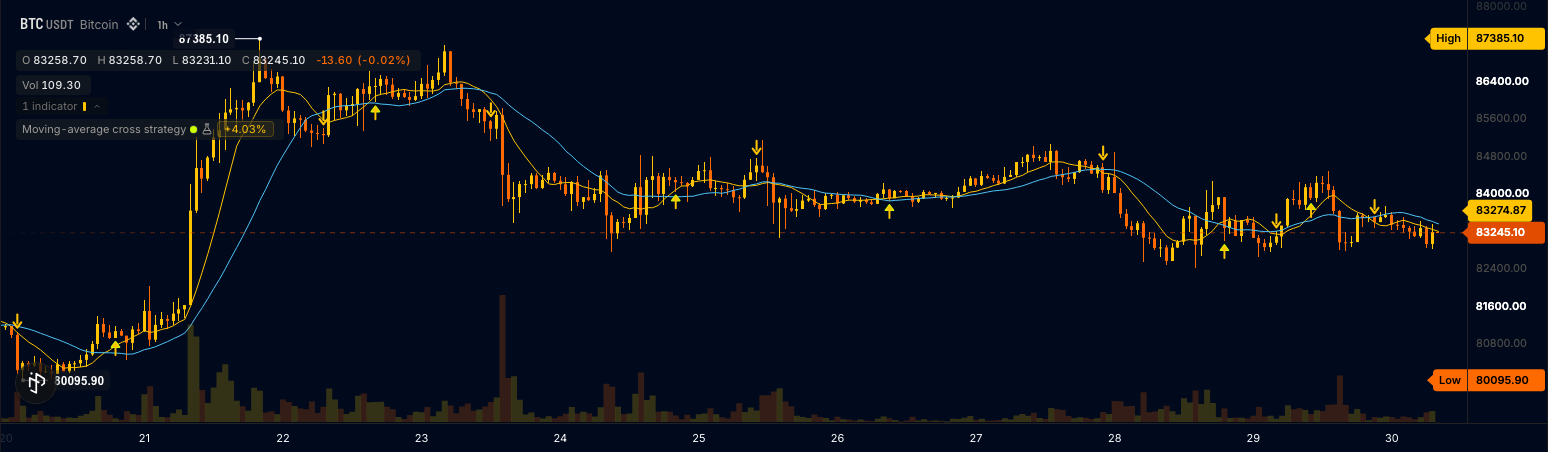
wrun// 1. Two settings. param("fast", 9, { min: 1, max: 200, description: "Fast EMA length" }); param("slow", 21, { min: 2, max: 400, description: "Slow EMA length" }); // 2. Two lines on the price pane. output("fast", line, overlay, { color: "#2563eb", width: 2, description: "Fast EMA of the close" }); output("slow", line, overlay, { color: "#f97316", width: 2, description: "Slow EMA of the close" }); // 3. A mark at the bar's low, drawn only where the gate is 1. output("cross_up", shape, overlay, { color: "#16a34a", shape_where: "is_cross_up", description: "Fast EMA crossed above slow EMA" }); const isCrossUp = output("is_cross_up", none); // 4. A signal the alert dialog offers once the indicator is published. alert("crossed_up", { when: isCrossUp, message: "{{symbol}}: fast EMA crossed above the slow EMA at {{close}}", description: "Fast EMA crossed above slow EMA" }); let fast = new Ema(9); let slow = new Ema(21); let cross = new Cross(); function onStart(): void { fast = new Ema(i32(p_fast())); slow = new Ema(i32(p_slow())); cross = new Cross(); } function onBar(): void { // The chart's own close for the averages, and its low to place the mark. const close = bar.close(); const low = bar.low(); const fastValue = fast.update(close); const slowValue = slow.update(close); const crossed = cross.update(fastValue, slowValue); if (isNaN(slowValue)) return; out_fast(fastValue); out_slow(slowValue); out_cross_up(low); out_is_cross_up(crossed == 1 ? 1.0 : 0.0); }BTCUSDT perpetual on Binance, 1 hour bars, Aug 10 to Aug 18, 2026Real output from OpenMarket's engine Crossanswers1on the bar the fast average crosses above the slow one,-1on a cross down,0otherwise.is_cross_up(plot kindnone) holds that decision without drawing it;cross_up(plot kindshape) draws a mark at the bar's low only whereshape_wheresays so.alert(...)turns the decision into a signal the alert dialog offers once the indicator is published.
Change a setting
Open the indicator's settings on the chart. Each
paramis a row labelled by itsdescription: set Fast EMA length to 12 and Slow EMA length to 26, and the chart reruns without compiling again.Publish it and add an alert
- Press Publish, type a name after
@yourname/(for exampleema-cross), and publish. The first version is 0.1.0 (Publishing). - On the receipt, press Open on chart.
- On that published indicator, open the alert dialog from its bell in the legend, pick the signal the file declared ("Fast EMA crossed above slow EMA"), and save.
OpenMarket's cloud evaluates the alert and notifies you when it fires (Alerts). A draft can't carry one, so publish first.
- Press Publish, type a name after
If something goes wrong
- Run stops. The Console names the problem and a squiggle marks the line: fix the first one and press Run again (Common errors).
- Nothing draws. It is usually warm-up, and the Console says so: "Output 'sma' is NaN on all N ready bars, so nothing is drawn for it."
Next
Mark the crosses down too
A second gate on crossed == -1 and a
second shape output at the bar's high.
Build something real
The Cookbook has complete recipes to read and adapt.
Read more than candles
What you can read.
See how it runs
Execution model.