
Every plan runs on the same data. Free gets every exchange, every chart type, and the same live feeds Plus users see; nothing on the free tier is a demo. What Plus changes is the ceilings: how much you can run at once, and a handful of heavy tools built for people who watch order flow all day.
Limits apply when you add features and when you open your own workspace. If that workspace exceeds your current plan, the extra items are locked and saving pauses. Your last saved version is kept. Shared workspaces owned by someone else remain visible in full.
When saving is paused
The Saving is paused dialog explains that your workspace exceeds your plan's limits. Expand View locked items to see what is affected. Closing the dialog leaves saving paused; the workspace banner remains visible.
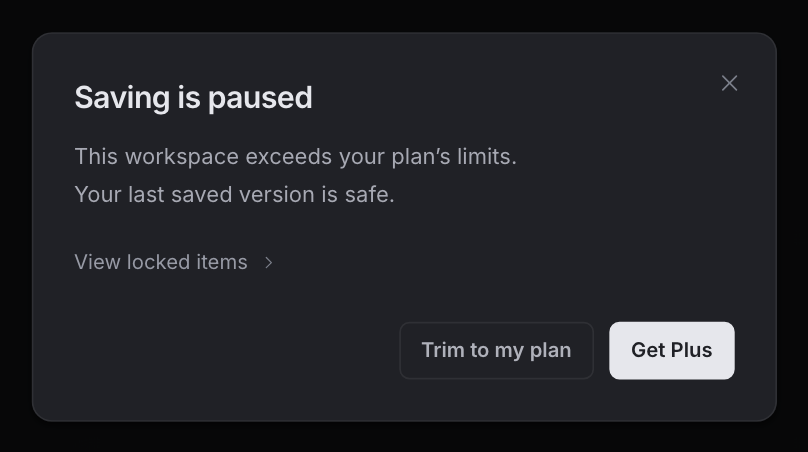
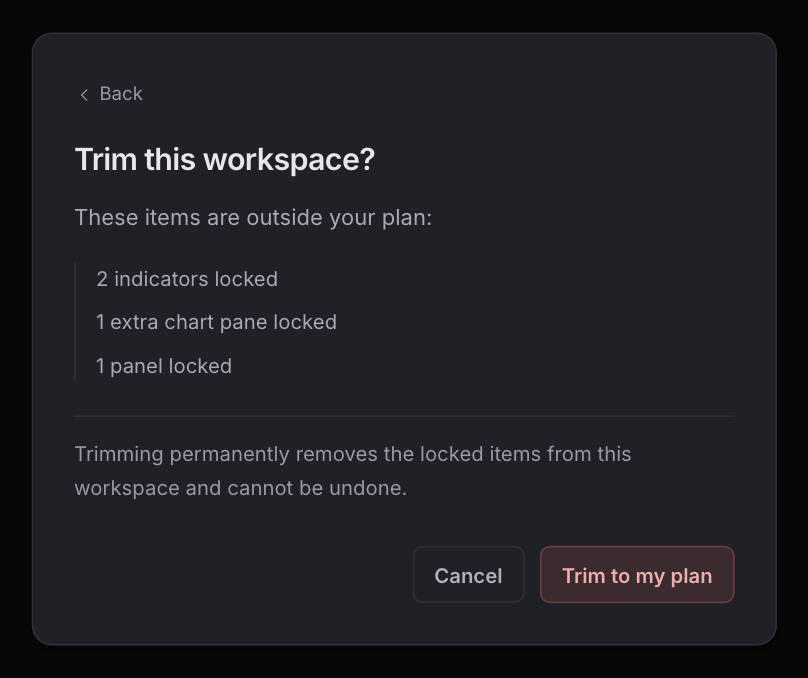
To resume saving, choose Get Plus if a higher plan covers the locked items, or choose Trim to my plan. Trimming first opens a review with the locked items and a warning. Back or Cancel returns without removing anything. Confirm Trim to my plan only when you are ready: it permanently removes the locked items and cannot be undone. If you already have Plus, the dialog offers trimming without an upgrade button.
Free vs Plus
| Feature | Free | Plus |
|---|---|---|
| Workspaces: saved chart setups, each with its own layout, indicators, and settings | 10 | 50 |
| Indicator slots: how many data indicators run at once, like the heatmap, the footprint and community scripts; classic indicators such as RSI, moving averages and MACD take no slot, and a complex community script can take several | 3, shared by the layout | 10 per chart |
| Private Indicators: indicators you write that only you can see (the community library is open on every plan) | 100 | 500 |
| Charts per layout: how many charts one multichart layout holds side by side, in any grid up to 4x4 | 16 | 16 |
| Active price alerts: alerts on a price level (or on another native series, like open interest or funding) armed at the same time | 200 | 500 |
| Active indicator alerts: alerts on a wrun indicator, a built-in indicator, or a hosted Indicator output, armed at the same time | 5 | 50 |
| Widgets per layout: panels docked around your charts, like the order book, tape, and volume stats | 3 | 10 |
| Watchlists: symbol lists beside your chart, with sections, flags, notes, and a TradingView importer | 50 lists, 250 symbols each | 50 lists, 250 symbols each |
| Published layouts: layouts you share to the community | 10 | 50 |
| Heatmap resolution: how finely the orderbook heatmap renders. New heatmaps open in HD; on Free, 4K loads as many rows as HD, so it covers a narrower band around price | HD and 4K | HD and 4K |
| Orderbook depth: how many book levels the orderbook heatmaps load (including the aggregated and the Hyperliquid liquidation and TP/SL maps), so large walls far from price stay on the map instead of being trimmed | Reduced | Full |
| 1-second interval: chart any market on 1s candles | Not included | Included |
| Top Callers, My List: build your own list of X accounts and track their calls on the chart | Not included | Included |
| Hyperliquid address overlay: paste any Hyperliquid wallet and see its executions, liquidations, orders, and deposits and withdrawals plotted on your chart | Not included | Included |
Plus also extends your lookback range. When you pan back far enough to reach the start of the history your plan includes, the chart tells you so and offers the upgrade on the spot.
Upgrade or manage your plan
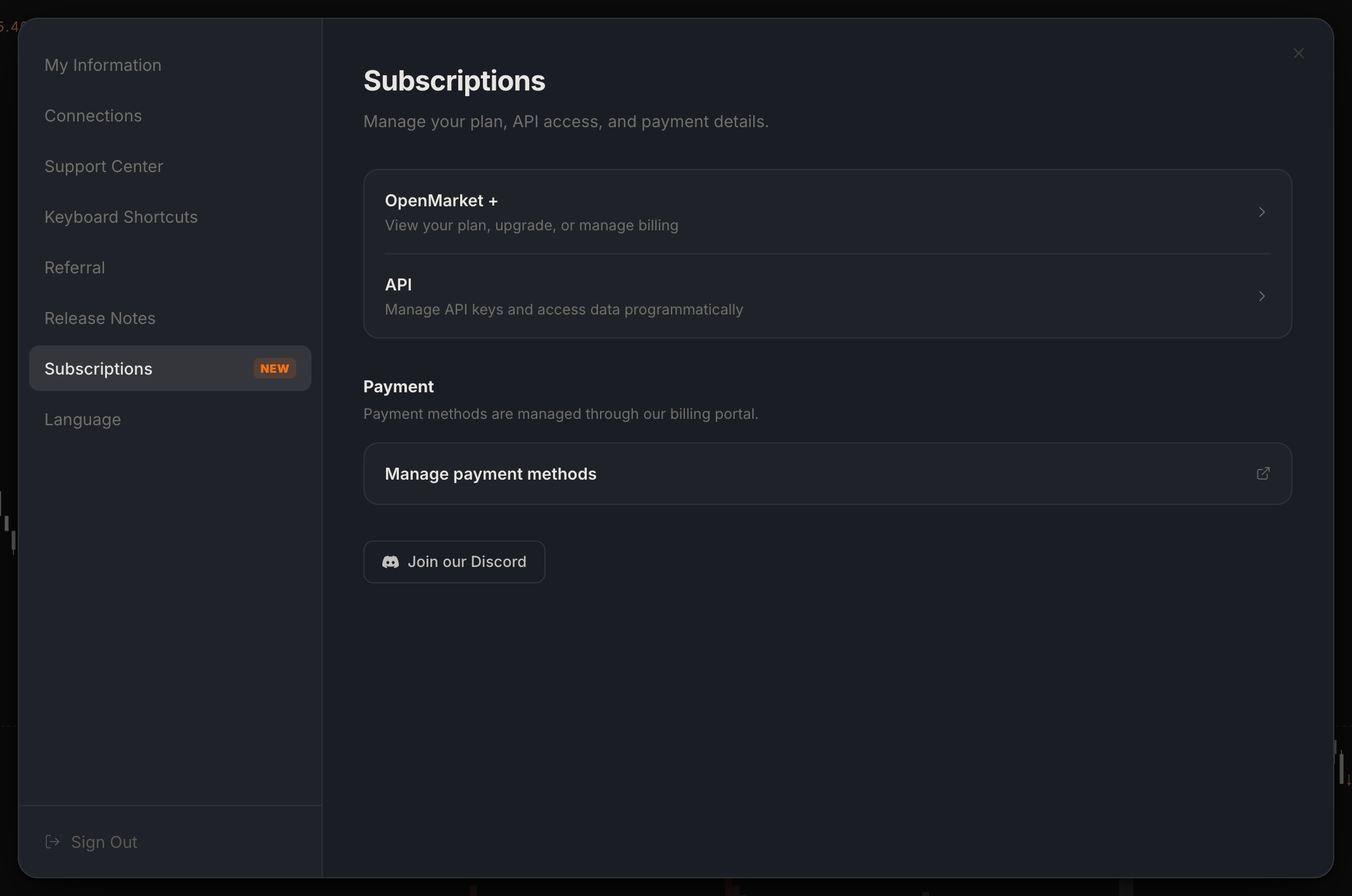
- Click your profile picture in the top right and choose Subscription. Settings opens on the Subscriptions tab.
- Click OpenMarket +. The plans page opens in a new tab; pick monthly or annual billing and check out. Upgrades apply instantly, downgrades take effect at the end of your billing cycle, and there is no lock-in.
- Back on the same tab, Manage payment methods opens the secure billing portal for cards and invoices.
Faster: press Ctrl/Cmd+J and type "Subscriptions". And whenever a limit blocks you, the prompt that appears names the exact ceiling you hit, and its Upgrade button opens the same plans page. Once you are on Plus, the logo in the top bar picks up a +.