
Flow pulse is a six-tile scoreboard of net options buying: net call flow and net put flow over the last hour, four hours, and twenty-four hours. It compresses the entire Deribit options tape into one glance: are traders paying for upside or downside, and is that pressure fresh or fading?
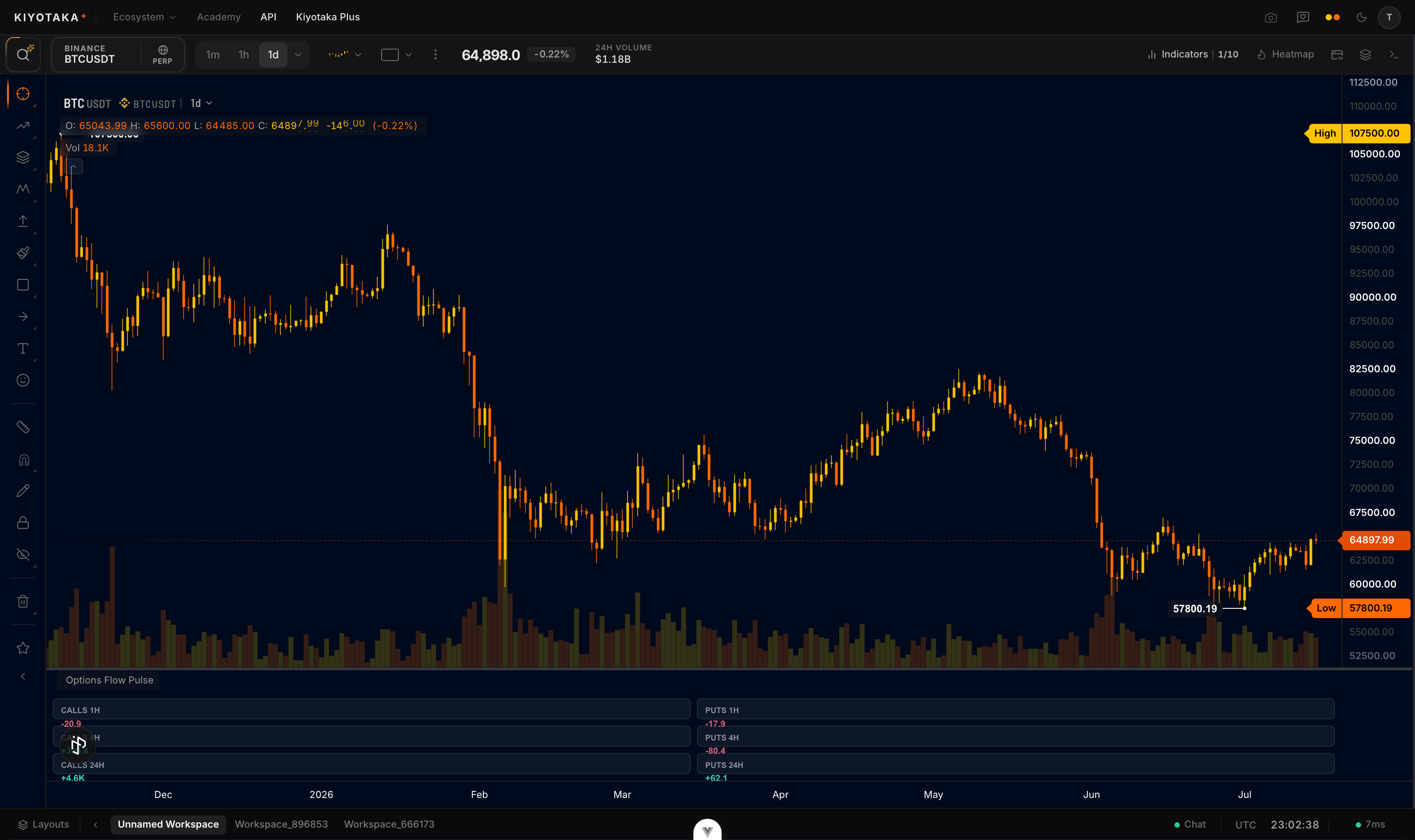
Add it to your chart
- Open Indicators in the top bar.
- Search for Options Flow Pulse and click it once. The tiles render in their own panel under the chart.
Fullscreen
Use the legend's maximize button, or double-click the pane, to fill the chart with it; Esc restores the previous layout. Maximized, the tiles get more room and larger text.
How to read it
Each tile is net traded volume in coin units: buys minus sells, so a positive number means that side is being bought on balance.
- Calls positive, puts negative is commonly read as bullish two ways at once: upside being accumulated, downside being sold.
- Calls and puts both positive is usually read as a vol bet or hedged positioning, not simple direction; it suggests someone expects movement.
- Compare the windows. A big 24h number with a flat 1h number is old news; a 1h number already rivaling the 24h total is happening right now.
- A blank tile means no options traded in that window (common on quieter coins); it is not an error.
The tiles net buys against sells, so a window where 500 coins were bought and 480 sold shows +20: reading it as "only 20 traded" undersells the activity behind it. For the strike-level picture behind these numbers, open Options flow; for the expiry breakdown, Flow by expiry.
The math
From every Deribit options trade in the window (both product lines, converted to coin units):
tile=∑trades±size(+ buy, − sell)
split by calls versus puts and by trailing window (1h / 4h / 24h). Data is minute-resolution, so a "1h" window really is the last 60 minutes, not the last full clock hours.
Settings
| Setting | What it does | Default |
|---|---|---|
| Theme | Color theme for the pane: series colors, fills, and accents (six choices) | Aurora |
| Refresh | Poll cadence in seconds (30 to 600) | 60 |
Assumptions
- Same taker-side, per-book coin-unit recovery as the other flow panes; blocks and combos can misstate real intent.
- All three windows share one 24 hour fetch, so there is no separate freshness lag between the 1h, 4h, and 24h tiles.
- A blank tile means zero trades in that exact window; a window with balanced trading still prints its net (including an honest 0).